Thursday, March 3, 2022

Hide or Show Clip Names - Pro Tools

By TOM BOWSER

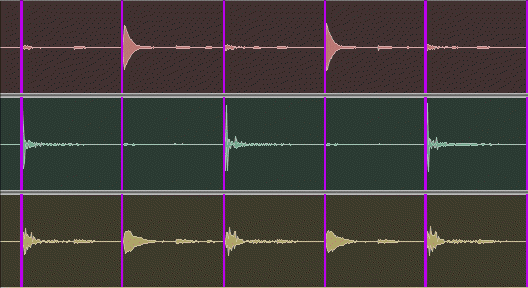
Editing drums using Beat Detective? Hide clip names to keep the Edit window clutter-free.

  • Left click on "View", hover over "Clip", then left click on "Name" to remove the check mark to the left of the word Name.
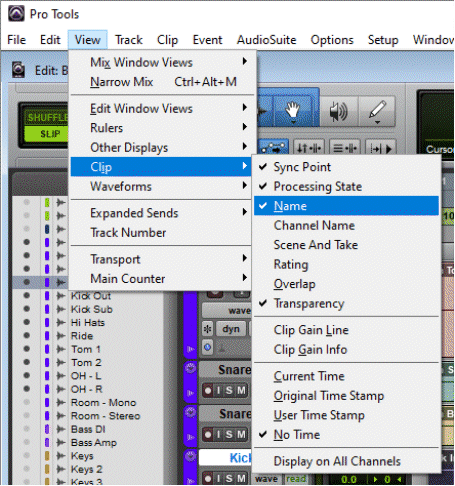
Hide Clip Names in Avid Pro Tools

Names will no longer show for each clip within a track in the Edit window. Repeat the above step and add a check mark next to Name to show clip names.

Clip names showing:
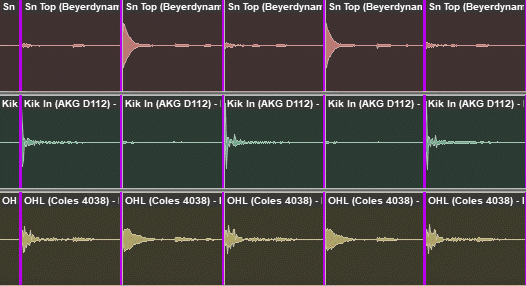
Audio Clips With Clip Names Showing

Clip names hidden:

Audio Clips With Clip Names NOT Showing

Monday, January 10, 2022

Show or Hide the Grid Lines - Pro Tools

By TOM BOWSER

  • Left click on the "Grid" button to toggle the grid lines on or off within the Edit window. I've drawn a red line around the Grid button in the image below.
Show or Hide the Grid Lines in Pro Tools

Wednesday, December 29, 2021

Create And Enable a Click Track - Pro Tools

By TOM BOWSER

How to create a click track:

  1. Left click on "Track" then "Create Click Track" on the Pro Tools menu bar.

Create a Click Track In Avid Pro Tools

A Click track will be created in the current open session.

A Click Track In Avid Pro Tools

  1. Enable the click track by left clicking on "Options" then "Click" at the top of the Pro Tools menu bar. You know the click track is enabled when it has a checkmark to the left of the word "Click". See image below.

Enable a Click Track In Avid Pro Tools

You can also press the number 7 on your keyboard's numeric keypad to either enable or disable the click track.

  1. Left click on the Click track's solo button to hear only the click track. The solo button turns yellow when enabled.
Solo a Click Track in Avid Pro Tools
  1. Press your keyboard's Space bar to listen to the click track.

If you don't hear the click track when you start playback:

  • Verify you have enabled the click track as described in step 2 above.
  • Solo the click track as described in step 3 above.
  • Increase the level of the click track volume fader.